
Research Hub: discover, read and continue the research.
Search companies, sectors, industries and research topics, then move from a research result into a structured report viewer.
Find the report that belongs to the question.
Research Hub is the product's research discovery surface. It is where an analyst can find company, industry and sector research and open the underlying report.
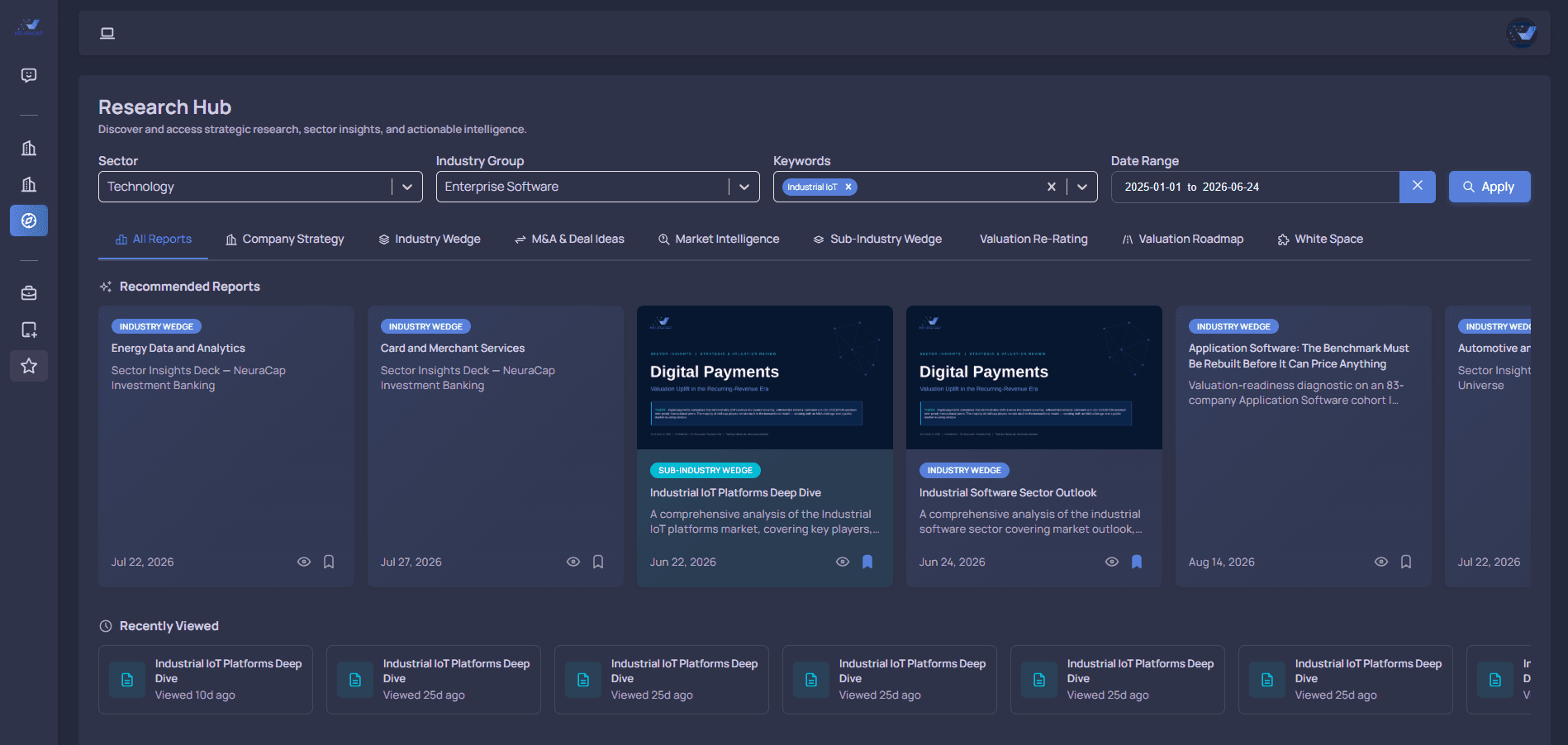
A report is a working surface, not a PDF thumbnail.
The report viewer gives the reader structured navigation, report metadata, executive insights and actions around the research document. It is designed to let the analyst consume research and continue the investigation.
- Executive summary and key insights
- Structured report navigation
- Current and historical research context
- Export / follow-up actions where available
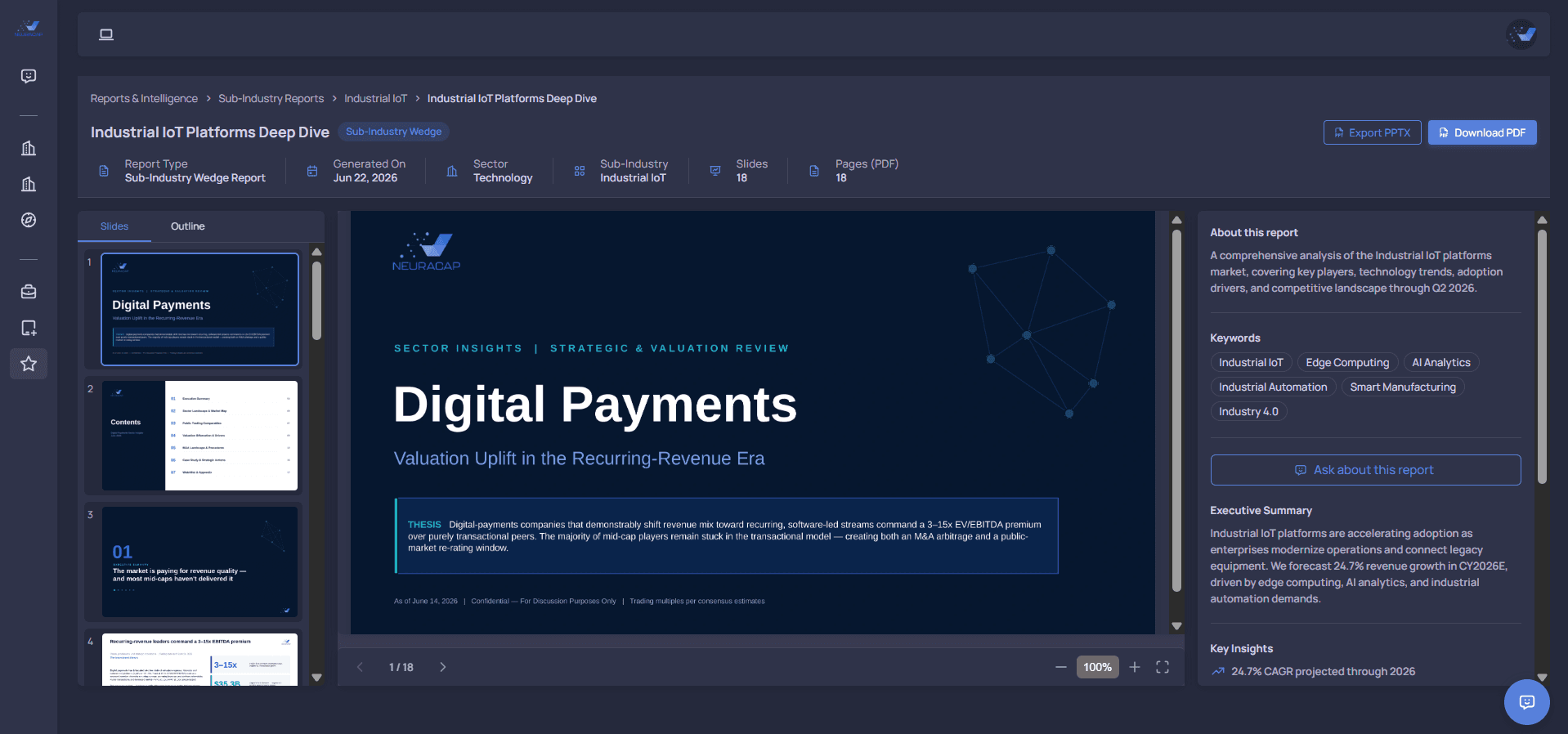
Research can answer different levels of the same question.
A company question may need company-specific research. A market question may need sector-level research. The hub should make those levels obvious instead of mixing them into one undifferentiated feed.
Company research
Business context, company performance and relevant market or peer observations.
Sector research
M&A activity, valuation context, market trends and sector-level developments.
Research history
Prior reports can provide a timeline of how the relevant market or company context has changed.
A report should lead back to the evidence behind it.
Reports sit beside company metrics, sector trends, M&A evidence and valuation surfaces. The report is the research layer; the analytical workspaces remain the source of the underlying context.
Evaluate more companies with less manual research.
Request a demo to see NeuraCap applied to the company-evaluation workflow.